
Speechify – Text to Speech
Speechify - Voice AI AssistantProductivity
4.010.12K Reviews
- Version
- 5.54.7543
- Installs
- 10.00M
- Age Rating
- Everyone
Screenshots
Our Review of Speechify – Text to Speech
 Analysis by Appyee
Most days, the problem isn’t finding something worth reading; it’s finding a quiet stretch of time to sit down with it. Emails pile up, a long PDF waits for attention, and an article gets postponed until the moment has passed. I like tools that make that backlog easier to handle without turning a small task into another project. Speechify – Voice AI Assistant takes a straightforward approach: it turns written material into audio, so I can listen when my eyes or hands are busy. That can save time, though it works best when I treat listening as a way to get through text—not as a perfect replacement for reading every page closely.
When reading competes with everything else
I find text-to-speech most useful in the gaps of a normal day: getting ready, doing chores, or walking somewhere familiar. Those moments rarely suit detailed screen reading, but they can accommodate a spoken article or document. The benefit is less about magically doing two demanding tasks at once and more about making otherwise idle time useful. I wouldn’t listen to a complicated contract while crossing a busy street or expect to absorb dense material while having a conversation.
That distinction matters. Speechify can help me make progress on material I might otherwise leave untouched, but audio is not always the fastest route to understanding. A table, diagram, formula, or carefully formatted page may need my eyes. I think of listening as a useful first pass, a way to review familiar material, or a convenient option when reading is uncomfortable. If accuracy and detailed note-taking are the priority, I still want the original document open.
A practical first setup
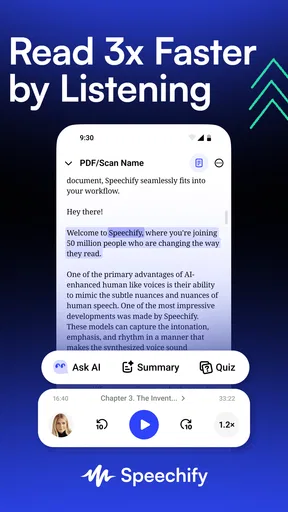
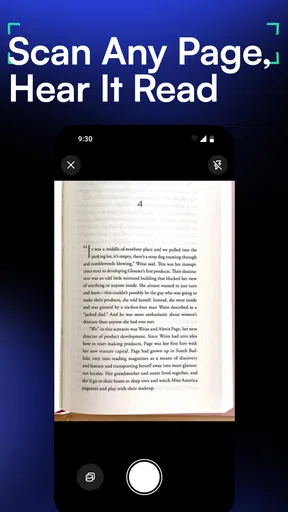
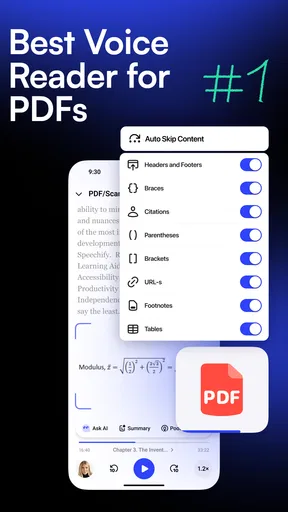
When I first downloaded Speechify – Voice AI Assistant, I was greeted with a clean and straightforward interface. It’s almost like the app is saying, “Hey, I’m here to make your life easier, not complicate it.” The main screen features a few simple options that guide you through importing text, whether it be from a web page, a PDF, or even a photo of a book page. Yes, you heard that right! You can snap a picture of any text, and Speechify will convert it into audio. Pretty cool, huh?
For a useful trial run, I’d start with a short article or a page of a document rather than immediately handing the app a huge file. That gives me a chance to check whether the voice, pace, and text layout are comfortable before I build the habit around it. With a photo, framing matters: a flat page, good light, and text kept inside the image make a sensible starting point. If the capture is unclear or the page is visually complex, I’d check the extracted text before relying on the narration.
It’s also worth choosing material with a clear purpose. A newsletter I want to catch up on, a work document I need to preview, or a passage I’m revising is easier to evaluate than a random block of text. After a few minutes, I can tell whether listening helps me stay focused or whether I keep reaching for the screen. That small test is more useful than assuming every kind of reading will feel equally good as audio.
Making the voice fit the task
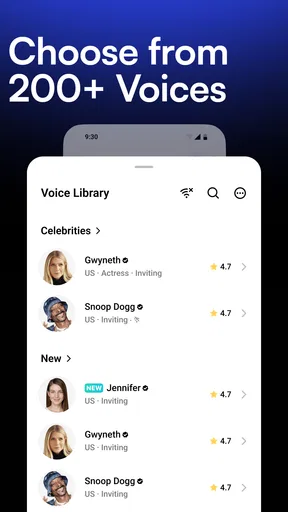
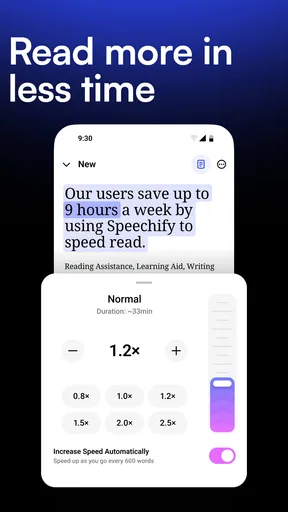
The app offers a range of voice options, from the soothing tones of a British accent to the energetic vibes of an American voice. You can adjust the reading speed to match your pace, which is great if you’re like me and sometimes need to slow things down to fully grasp the content. The voices are surprisingly natural, a testament to the advancements in AI technology. I found myself genuinely enjoying the experience, almost as if I had a personal narrator.
My practical tip is to adjust speed by content, not by habit. A familiar article may be comfortable at a quicker pace, while a new subject with names, technical terms, or layered arguments often deserves a slower setting. I also wouldn’t judge a voice from a single sentence: a voice that sounds pleasant in a short sample may become tiring over a full chapter, while another that seems less expressive at first may be easier to follow for longer. Comfort over a long session matters more than novelty.
Listening can also be a useful language-learning supplement, but I’d use it as one part of practice rather than a complete lesson. Hearing a passage can help me notice rhythm and pronunciation, especially if I follow along with the text. It won’t, on its own, tell me whether I understood the meaning or can use a new phrase naturally. For that, I’d pause and revisit a few sentences instead of letting a long article play passively in the background.
Using audio to make room in the day
I find the most useful test is whether listening turns a small, otherwise wasted stretch of time into real progress without demanding my full attention. It also helps to choose one short, familiar document first, so I can judge the voice and pacing before relying on audio for anything important. From there, the value becomes clearer in the everyday situations where reading would otherwise have to wait.
Documents, errands, and the right kind of multitasking
One of the standout features of Speechify is its versatility. It’s not just limited to leisure reading; it’s a powerhouse for productivity. Imagine commuting to work and turning your emails or work documents into audio. It’s like multitasking on autopilot! I tried it with some lengthy PDFs, and it handled them like a champ. No more squinting at tiny text during a bumpy bus ride.
A realistic routine might be to listen to a work brief while preparing breakfast, then open it later at a desk to check a deadline or a figure that needs exact attention. In that workflow, audio helps me become familiar with the contents before I sit down for focused work. I wouldn’t use it as my only review of an important document, because spoken narration can make it harder to scan back to a particular sentence or compare two sections quickly.
The app supports multiple languages, making it an excellent tool for language learners. You can listen to content in your target language, helping you improve pronunciation and comprehension. I played around with some Spanish articles, and it was a fantastic way to immerse myself in the language.
For everyday listening, I’d keep the source text nearby when possible. If a phrase sounds odd or a sentence seems to lose its meaning when spoken, checking the written version helps separate a reading error from a genuine ambiguity in the text. This is especially helpful with acronyms, names, and punctuation-heavy writing. It turns listening into an active reading aid rather than background noise.
Accessibility and convenience in practice
For those with visual impairments or reading difficulties, Speechify is a game changer. It opens up a world of information and entertainment that might have been challenging to access before. Even for someone like me, with no such difficulties, the convenience of listening to an article while doing household chores is a blessing.
For anyone considering it as an accessibility aid, I’d try it with the kinds of material that cause the most friction in daily life: a page of reading, a document, or text captured from paper. The key question is not simply whether the app can speak the words, but whether its voice and handling of the text make the material easier for that individual to use. People have different listening preferences, and no single voice or speed will suit everyone.
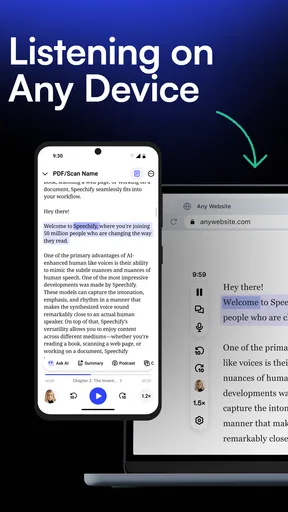
The app syncs across devices, so you can start listening on your phone and pick up right where you left off on your tablet. This seamless integration into daily life is what makes Speechify stand out.
That continuity is most valuable when a listening session gets interrupted. I can use a phone during a short stretch away from home and continue later on a tablet when I have a quieter place to focus. It is a convenience rather than a reason to move every reading task into the app; for quick reference, a normal document reader may still be simpler. But for material I want to hear in more than one setting, being able to resume makes the habit easier to maintain.
Where it fits among reading tools
Compared with reading a document directly, audio is less convenient for skimming, jumping between headings, and checking a specific detail. A standard PDF reader or ebook app is the better choice when I need page layout, annotations, or quick visual comparison. A basic built-in read-aloud option may be enough for someone who only needs occasional narration and wants to keep their workflow minimal. Speechify makes more sense when converting different kinds of text into listening is a recurring need, rather than a once-in-a-while experiment.
It also helps to decide what “saving time” means in your case. If you can listen while doing a low-attention chore, it may make room for a document that otherwise would wait. If you have to stop constantly to check names, figures, or formatting, the audio may add friction instead. I’d test it on a representative piece of your own reading before deciding whether it deserves a place in your daily routine.
Limits, cost, and who should choose it
No app is perfect, right? While Speechify is impressive, there are a few quirks. Sometimes the AI struggles with complex formatting or unusual words, leading to some amusing mispronunciations. It’s not a deal-breaker, but it’s something to be aware of. Also, while there’s a free version, accessing premium voices and features requires a subscription. It’s worth it if you’re a heavy user, but casual users might find the free version sufficient.
In practical terms, I’d be cautious with scanned pages that have columns, headings, or unusual layouts. Even when the words are readable, the order in which they are presented can affect whether the narration makes sense. For an important document, I’d verify the text and use the original page to check any passage that sounds garbled. The same goes for proper names and specialist vocabulary: a natural-sounding voice does not guarantee that every word will be pronounced as intended.
The app is free to install, while optional in-app purchases range from $0.49 to $139.99 per item. That wide range makes it sensible to try the free experience against your actual routine before paying for anything. I would only consider a paid option if I were using it often enough to value the specific extras on offer; someone who listens to a short article now and then may not need more. Speechify is rated for Everyone, and it is a productivity app from Speechify - Voice AI Assistant. It was released on August 16, 2021, and the current version is 5.36.6563, with Android 9 as the minimum OS requirement.
Its audience is broad: students who want to revisit reading, people who handle long documents, language learners who benefit from hearing text, and anyone who finds listening more comfortable than staring at a screen. I’d be less likely to recommend it to someone whose reading is mostly visual and brief, who relies heavily on diagrams and precise formatting, or who simply dislikes spoken narration. In those cases, a conventional reader or the device’s basic accessibility tools may be the more direct choice.
Speechify has a 4.0 average from around 268,000 ratings, with about 9,000 written reviews, and it has passed 10 million installs. Those figures suggest that many people have tried it, but they don’t settle whether it will fit your habits. My own test would be simple: choose a document you genuinely need to get through, listen for a few minutes, and see whether you make useful progress without losing the details that matter.
A considered final take
Overall, Speechify – Voice AI Assistant is a powerful tool that makes consuming written content more accessible and enjoyable. Whether you’re looking to boost productivity, improve language skills, or simply relax with a good article, Speechify has got you covered. It’s like having a personal assistant that turns your reading list into an audio playlist.
I’d recommend it most to people who regularly have more text than screen time and can use audio in safe, suitable moments. Its strongest value is the flexibility to move from a photo or document to listening, then continue across devices, not a promise that every page will sound flawless. If your material is full of charts, specialized terms, or formatting that carries meaning, keep the original open and treat narration as support. That balance lets the app save effort without asking it to do a job it cannot reliably replace.
If you’re curious to try it out, you can find it available for download on both Android and iOS. Go ahead and give it a whirl; you might just find that listening is the new reading!
Verdict
Strengths of Speechify – Text to Speech
- Seamlessly converts text to speech.
- Supports multiple languages and accents.
- User-friendly interface for all ages.
- Adjustable reading speed options.
- Syncs across devices effortlessly.
Limitations of Speechify – Text to Speech
- Limited free version features.
- Requires internet for full functionality.
- Voice customization is minimal.
- Subscription can be costly for some.
- Occasional pronunciation errors.
Similar Picks in This Category
View All
Google Calendar
Google LLC4.6

Google Drive
Google LLC4.3

Google Assistant
Google LLC3.9

Microsoft OneDrive
Microsoft Corporation4.6

Samsung Calendar
Samsung Electronics Co., Ltd.4.1

Microsoft OneNote: Save Notes
Microsoft Corporation4.6
Frequently Asked Questions
What platforms is Speechify – Voice AI Assistant available on?
Speechify is available for both Android and iOS devices, ensuring wide accessibility for users across different platforms. Additionally, it can be used on desktops via a web extension, providing flexibility for users who prefer to integrate it into their daily workflow across multiple devices.
How does Speechify improve productivity for users?
Speechify enhances productivity by converting text into natural-sounding speech, allowing users to listen to articles, documents, and emails on the go. This feature benefits those with busy schedules or individuals with dyslexia and other learning differences, enabling them to absorb information quickly and efficiently.
Is an internet connection required to use Speechify?
While Speechify can operate offline with pre-downloaded content, an internet connection is generally required to access all features, especially for cloud-based documents or when using the latest AI voice updates. For optimal performance, ensure a stable internet connection when using the app.
Are there customization options available in Speechify?
Yes, Speechify offers extensive customization options. Users can adjust reading speed, choose from various voice types, and select different accents to suit their preferences. This flexibility allows a tailored listening experience, making it easier for users to engage with content in a way that suits them best.
Is there a cost associated with using Speechify?
Speechify offers a free version with basic features, but for advanced functionalities such as premium voices and higher reading speeds, a subscription is required. Users can explore these premium features through a free trial before committing to a subscription, helping them decide if it meets their needs.
